
Cartoonify AI Caricature Maker
Lyrebird Studio Teknoloji Limited ŞirketiPhotography
4.52.25K Reviews
- Version
- 1.0.6.5
- Installs
- 1.00M
- Age Rating
- Everyone
Screenshots
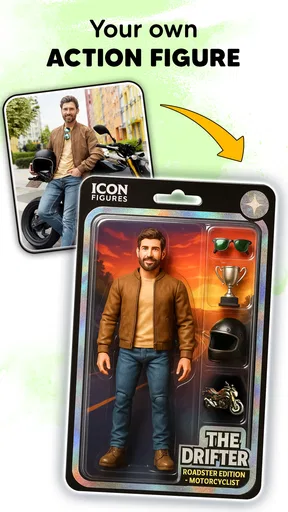
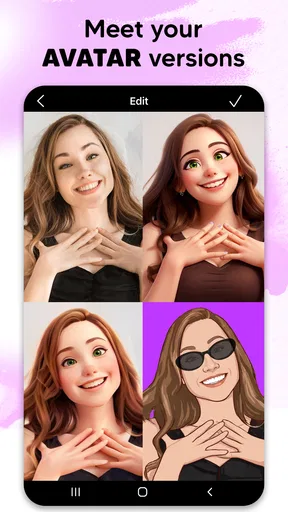
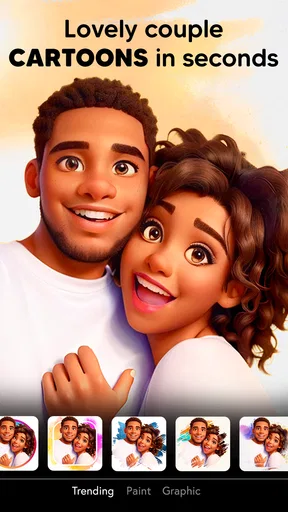
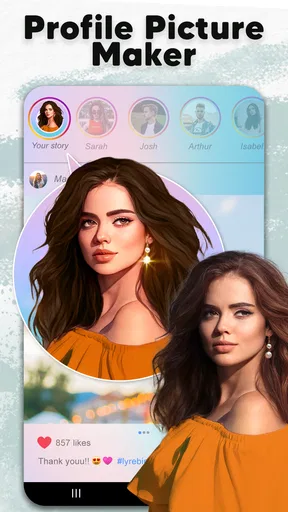
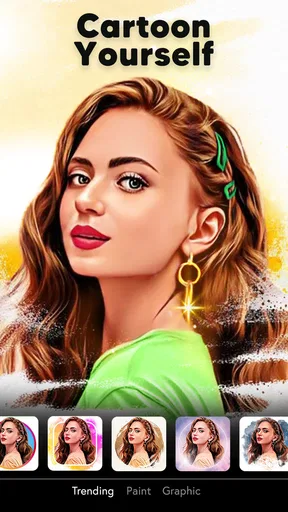
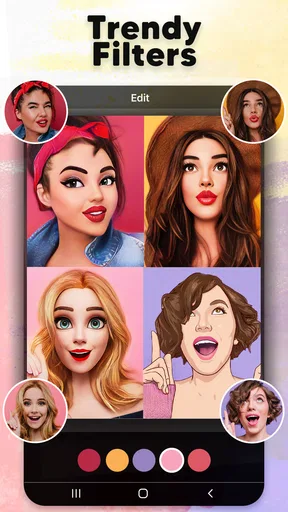
Our Review of Cartoonify AI Caricature Maker
 Analysis by Appyee
I find photo effects easiest to enjoy when I can understand the choices without first learning an editing workflow, and that is the appeal of Cartoonify AI Caricature Maker. It turns familiar pictures into playful illustrations rather than asking me to draw or build an edit from scratch. That makes it a handy pick for a quick laugh or a small creative project, though it is not a full replacement for a photo editor when precise control matters.
A quick edit works best with a clear subject
For the most useful first test, I’d choose a well-lit photo with one face that is easy to see, then compare the result with the original before deciding whether to share it. A close portrait gives the effect a clear subject; a busy group shot asks the transformation to interpret several faces and background details at once. That simple choice can make the difference between an image that reads as a deliberate cartoon and one that feels visually muddled.
I would also keep the unedited original. Cartoon effects are a matter of taste, and a result that seems funny on a phone may not suit a profile picture or a printed card. Saving both versions lets me use the playful one where it fits and return to the photograph whenever I want a more natural look.
Reading the result, not just the controls
In a caricature app, visual clarity is not only about readable menus; it is also about whether the finished image remains recognizable. I look at the eyes, mouth, hairline, and outline of the face before judging an effect. If the style overwhelms those features, it may be entertaining as a one-off but less useful as an avatar that friends should identify at a glance.
That is especially worth considering for older relatives or anyone who finds exaggerated faces uncomfortable. A gentler treatment may be a better choice for a shared family portrait, while a more dramatic look can work for a private joke among friends. I would make the audience part of the editing decision rather than assuming that the boldest result is automatically the best one.
Useful for small, low-pressure creative jobs
A realistic everyday use is making a birthday message feel more personal without turning the task into a design project. I could pick a clear portrait, try a cartoon treatment, and send the result with a short note. The charm is in the recognizable face and the surprise, not in producing polished illustration. For a group greeting, I would check that everyone pictured is comfortable with the image before sharing it beyond the intended recipients.
The same quick approach can help when I want a lighthearted chat avatar or a playful image for a private group. It is less suited to professional headshots, identity documents, or anything where an accurate, natural photograph is expected. It also should not be treated as a reliable way to represent someone’s appearance: an AI-style transformation is an interpretation, not a faithful portrait.
Where it sits beside other photo tools
Compared with a conventional photo editor, a caricature maker is appealing when I want a fast, distinctive change rather than detailed control over every layer. A general editor is usually the better choice for precise retouching, careful crops, or a consistent visual style across several images. A hand-drawn portrait offers more individual character, but takes more effort and may require an artist. This app occupies the quick, playful middle ground: more specific than a basic filter, but not a substitute for illustration software.
That distinction also helps set expectations about repeat use. If I only want one amusing picture, I can try the free offering before deciding whether the app belongs in my regular toolkit. If I expect to make a coordinated set of images for a project, I would first check whether its available styles produce a consistent look across different faces and lighting. A result that works on one selfie may not translate equally well to a dim indoor portrait or a distant subject.
Readability and navigation in practice
Hey there! So, I recently got my hands on this nifty little app called Cartoonify AI Caricature Maker, and let me tell you, it’s a blast! If you're into transforming your photos into quirky caricatures or playful cartoons, this might just be your new favorite toy. Let’s dive in and see what makes this app tick.
First Impressions: Fun and Simple Interface
When you first open Cartoonify AI Caricature Maker, you’re greeted with a bright, user-friendly interface. It’s like the app is inviting you to unleash your creative side without any fuss. The layout is pretty intuitive, which means you won’t be fumbling around trying to figure out where everything is. Just a couple of taps, and you’re ready to transform your photos into something out of a comic book.
What really caught my eye is how smooth the navigation is. I’ve tried a few other apps that promise similar results, but they often get bogged down with complex menus. Not here! It’s all about keeping it straightforward and fun.
Motor and sensory considerations
A simple route through an editing task can be useful when I want to make a quick image without coordinating lots of small adjustments. Even so, a playful screen is not the same thing as a fully accessible one. People who rely on screen readers, need larger text, or prefer high-contrast controls should check how the app behaves on their own device before settling into a longer session. I would not assume that an interface that feels intuitive to me will work equally well for every person.
There is also a sensory side to the finished image. Bold transformations can make faces look unusually exaggerated, which some people enjoy and others may find distracting. For a shared image, I’d choose a gentler style if I know the recipient prefers familiar, natural-looking pictures. The best result is not necessarily the most intense one; it is the one that suits the person who will see it.
Features That Stand Out
Now, let’s talk about the meat and potatoes of this app: the features. One of the coolest things is the variety of filters and effects available. Whether you want a subtle sketch look or a full-on caricature with exaggerated features, there’s something for everyone.
- AI-Powered Transformations: The app uses some pretty impressive AI tech to analyze your photos and apply effects that look surprisingly natural. It's almost like having a mini artist in your pocket!
- Customization Options: You’re not just stuck with preset effects. You can tweak things like brightness, contrast, and saturation to get the perfect look.
- Easy Sharing: Once you’ve created your masterpiece, sharing it is a breeze. Whether you want to wow your friends on social media or send a quirky birthday card, a couple of taps and you’re there.
A practical way to choose and share
My best advice is to treat the first effect as a draft. I’d try a couple of different looks on the same portrait, then compare them at the size where they will actually appear: a tiny chat icon hides details that remain obvious in a full-screen image. If the face becomes hard to recognize when reduced, I’d choose a simpler treatment or use a different photo rather than trying to rescue it with more editing.
Before sharing, I would also check the crop and the background. A transformation can draw attention to the face while leaving distracting objects or other people in view. Picking a cleaner source photo can be more effective than adjusting the finished image, and it avoids making a private moment public by accident. For a profile image, a close crop is often easier to read; for a greeting, a little more of the scene may help explain the joke.
Playing Around: My Personal Experience
Alright, so let’s talk about what it’s like to actually use the app. I decided to test it out with a few selfies and some candid shots of my cat (because who doesn’t love a good cat cartoon?). The results? Absolutely hilarious! The caricature effects are spot on, and there’s something incredibly satisfying about seeing yourself—or your pet—reimagined as a cartoon character.
One thing I noticed is how addictive it can be. After my first few tries, I found myself digging through my photo gallery just to see what other transformations I could come up with. It’s like a creative rabbit hole you just keep falling down, but in the best way possible!
Situational access: short sessions and shared devices
This kind of app is easiest to fit into small pockets of time: while choosing a picture at home, waiting for a friend, or preparing a quick greeting before a celebration. I would avoid relying on it when I have only a few seconds or a weak connection and need a guaranteed result immediately, since image processing can take longer in some situations. It is more enjoyable when I can review the output instead of rushing straight to the share button.
If I am making a cartoon from a family member’s or friend’s photo, I would ask before posting it publicly. A funny transformation may feel harmless to the person who made it, but the subject may not want an altered portrait circulating. For a shared phone or tablet, I would also make sure I am selecting the intended image before editing and sharing; a quick creative task still involves personal photos.
Who will get the most from it
I’d recommend it to people who enjoy playful portraits, want an easy starting point for a cartoon-style image, or like making informal greetings and chat pictures. It is especially appealing if the fun is in trying several looks rather than perfecting one image for a professional purpose. Parents might enjoy making a silly picture with a child, provided the child is happy with the result and an adult handles any public sharing.
I would steer away from it if I needed precise retouching, dependable likeness across a whole collection, or a tool designed around detailed accessibility controls. Someone with limited vision or dexterity may want to test the interface first and use device-level settings that make it more comfortable. And if the goal is a faithful portrait, a standard photo editor or a commissioned drawing is a better match than an automated caricature effect.
Room for Improvement
Of course, like any app, there are a few areas where it could improve. Occasionally, the app takes a bit longer to process images with more complex effects, especially on older devices. It’s not a deal-breaker, but a touch more speed would be nice.
Also, while the app offers a bunch of free features, some of the cooler effects are locked behind a paywall. It’s understandable, but if you’re someone who wants access to everything without spending a dime, it might be something to consider.
Cost, compatibility, and expectations
Cartoonify AI Caricature Maker is a free photography app from Lyrebird Studio Teknoloji Limited Şirketi. Its average rating is 4.5 from around 48,000 ratings, with about 2,200 written reviews, and it has passed one million installs. That level of use suggests it has found an audience, but popularity cannot tell me whether a particular effect will suit my photos or whether the interface will meet my needs.
The app is rated for Everyone, was released on January 15, 2024, and its current version is 1.0.4.1, with Android 7.0 as the minimum operating-system requirement. Some in-app purchases range from $4.99 to $39.99 per item. I’d start with the free options and decide whether the styles I actually want justify a purchase; the listed range is broad enough that I would check the specific item and its terms before confirming anything.
Remaining barriers and a sensible trial
For anyone wondering whether it costs money to try, the app itself is free, while some optional items are paid. I would explore the included effects first and avoid buying anything until I know I’ll use it more than once. If an effect is locked, that is a prompt to decide whether that particular look matters to me, not a reason to assume the whole app is unusable without spending.
Another practical question is whether it suits every photo. I would not expect equally convincing results from every subject, especially if a face is small, partly hidden, or poorly lit. Rather than repeatedly processing a difficult image, I’d try a clearer picture and see whether the result improves. That quick comparison helps separate a limitation of the source photo from a limitation of the style I chose.
One remaining barrier is that a quick, cheerful editing flow does not answer every question someone may have about usability. If I need a particular text size, screen-reader behavior, or a calm visual presentation, I would test those needs directly on my device before committing to the app. That is more reliable than judging accessibility from a general impression of simplicity.
Final Thoughts
All in all, Cartoonify AI Caricature Maker is a delightful app that brings a lot of joy and laughter. Whether you’re a social media maven looking to spice up your feed or just someone who loves a good laugh, it’s worth checking out. It makes art accessible to everyone, regardless of skill level, and that’s something I can totally get behind.
So, if you’re in the mood to cartoonify your world, give this app a whirl. Who knows? You might just discover your inner artist!
An inclusive verdict
I see this as a cheerful, low-pressure way to experiment with cartoon portraits, not a universal editing solution. Its straightforward feel can make the first steps approachable, but ease of navigation alone does not guarantee that every control, visual effect, or sharing step will work for every person. The most comfortable experience will depend on the individual, the device, and the picture being edited.
If you enjoy playful transformations and are happy to judge each result before sharing, I think it is worth trying at no cost. If you need fine-grained editing, a natural likeness, or specific accessibility support, I’d compare it with a traditional editor or another tool that clearly meets those needs. For me, its sweet spot is simple: a recognizable photo, a bit of curiosity, and a cartoon result shared with the right person.
Verdict
Strengths of Cartoonify AI Caricature Maker
- Easy to use with intuitive design.
- Offers a wide range of caricature styles.
- Quick processing and results.
- Supports high-resolution exports.
- Includes fun and creative filters.
Limitations of Cartoonify AI Caricature Maker
- Limited free features without subscription.
- Ads can be intrusive during use.
- Occasional lag with large images.
- Requires stable internet connection.
- Limited editing tools for customization.
Other Releases by Lyrebird Studio Teknoloji Limited Şirketi
View All
Future Baby Generator - GenArt
Photography4.5

HairApp: Hair Styler App, Bald
Photography3.4
Similar Picks in This Category
View All
Google Photos
Google LLC4.4

Gallery
Google LLC4.2

Picsart AI Photo Editor, Video
PicsArt, Inc.3.9

B612 AI Photo&Video Editor
SNOW Corporation4.1

BeautyPlus-Selfie Photo Editor
PIXOCIAL TECHNOLOGY (SINGAPORE) PTE. LTD.4.5

Remini - AI Photo Enhancer
Bending Spoons4.1
Frequently Asked Questions
What is Cartoonify AI Caricature Maker?
Cartoonify AI Caricature Maker is an innovative app that transforms your photos into cartoon-style images or caricatures using advanced AI technology. It offers a variety of artistic filters and customization options to create unique and fun representations of your pictures, perfect for social media sharing or personal enjoyment.
How user-friendly is Cartoonify AI Caricature Maker?
Cartoonify AI Caricature Maker is designed with user-friendliness in mind. Its intuitive interface allows users of all skill levels to easily navigate and apply various filters and effects. Whether you're a beginner or an experienced digital artist, the app provides a seamless experience for creating cartoon versions of your photos.
What are the main features of Cartoonify AI Caricature Maker?
The app offers a variety of features, including multiple artistic filters, customizable caricature styles, and the ability to adjust features like color, brightness, and contrast. It also supports high-resolution output and easy sharing to social media platforms, making it a versatile tool for creating and sharing your artwork.
Does Cartoonify AI Caricature Maker require an internet connection?
While some features of Cartoonify AI Caricature Maker, such as downloading new filters or sharing directly to social media, require an internet connection, the core functionality of transforming images into cartoons can be done offline. This makes it convenient for users to create caricatures anytime, anywhere.
Is Cartoonify AI Caricature Maker free to use?
Cartoonify AI Caricature Maker is available as a free app with basic features. However, it offers in-app purchases for advanced filters and customization options. This allows users to enhance their experience and access premium features if they choose, while still enjoying the app's core capabilities for free.
